
Funding
What & Why Funding
Funding prepares wallets before they’re used in launches or actions.
It lets you distribute balances gradually and randomly instead of funding everything at once.
This avoids obvious patterns, improves realism, and leads to cleaner execution.
Funding is optional but recommended for better results.
How to Fund Wallets
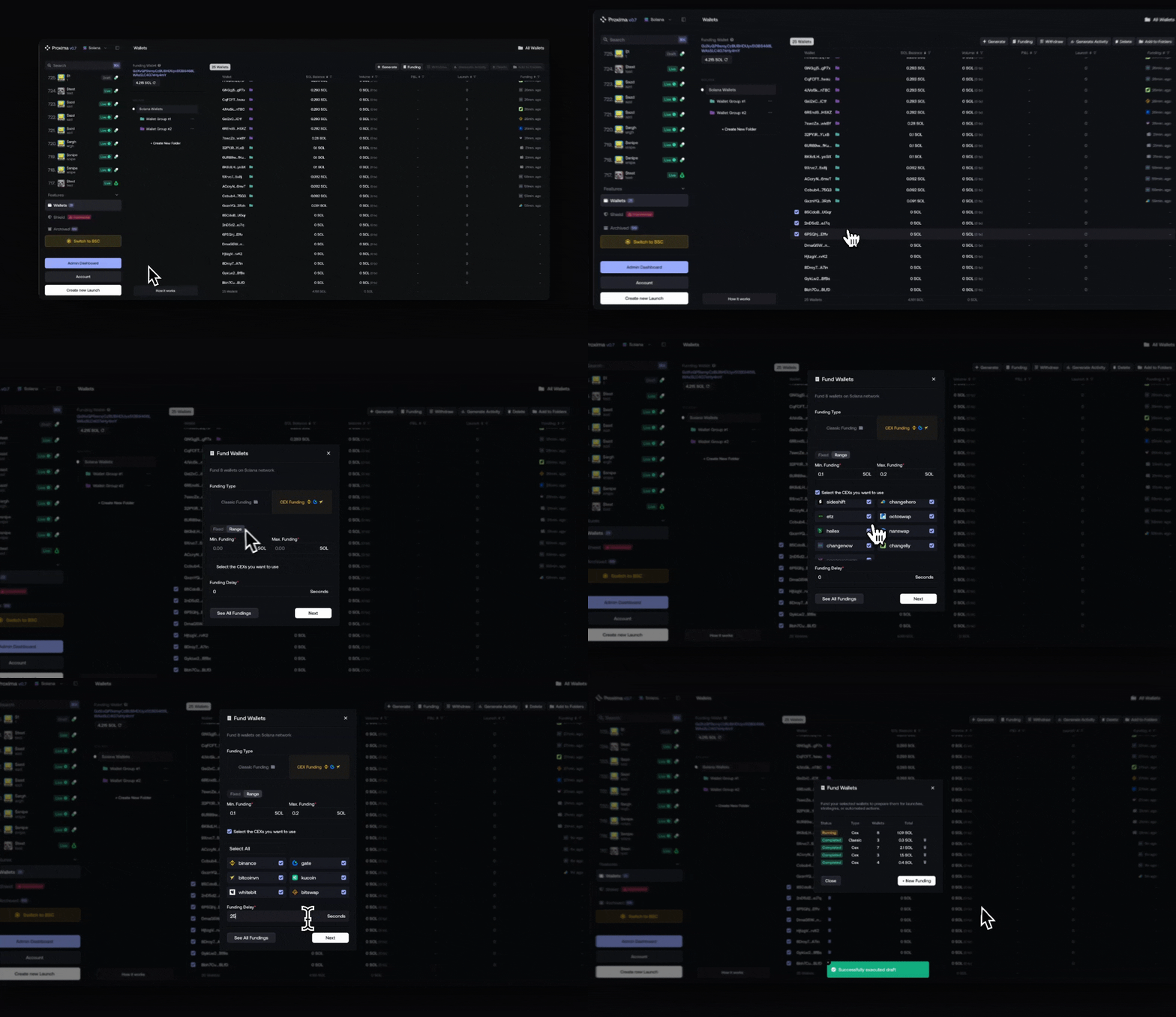
- Select one or multiple wallets from the wallet list
- Click Fund in the top action bar
- Configure your funding parameters
- Start the funding process
You can fund wallets at any time before or after generating activity.
Funding Types
Proxima supports two funding methods, depending on your needs.
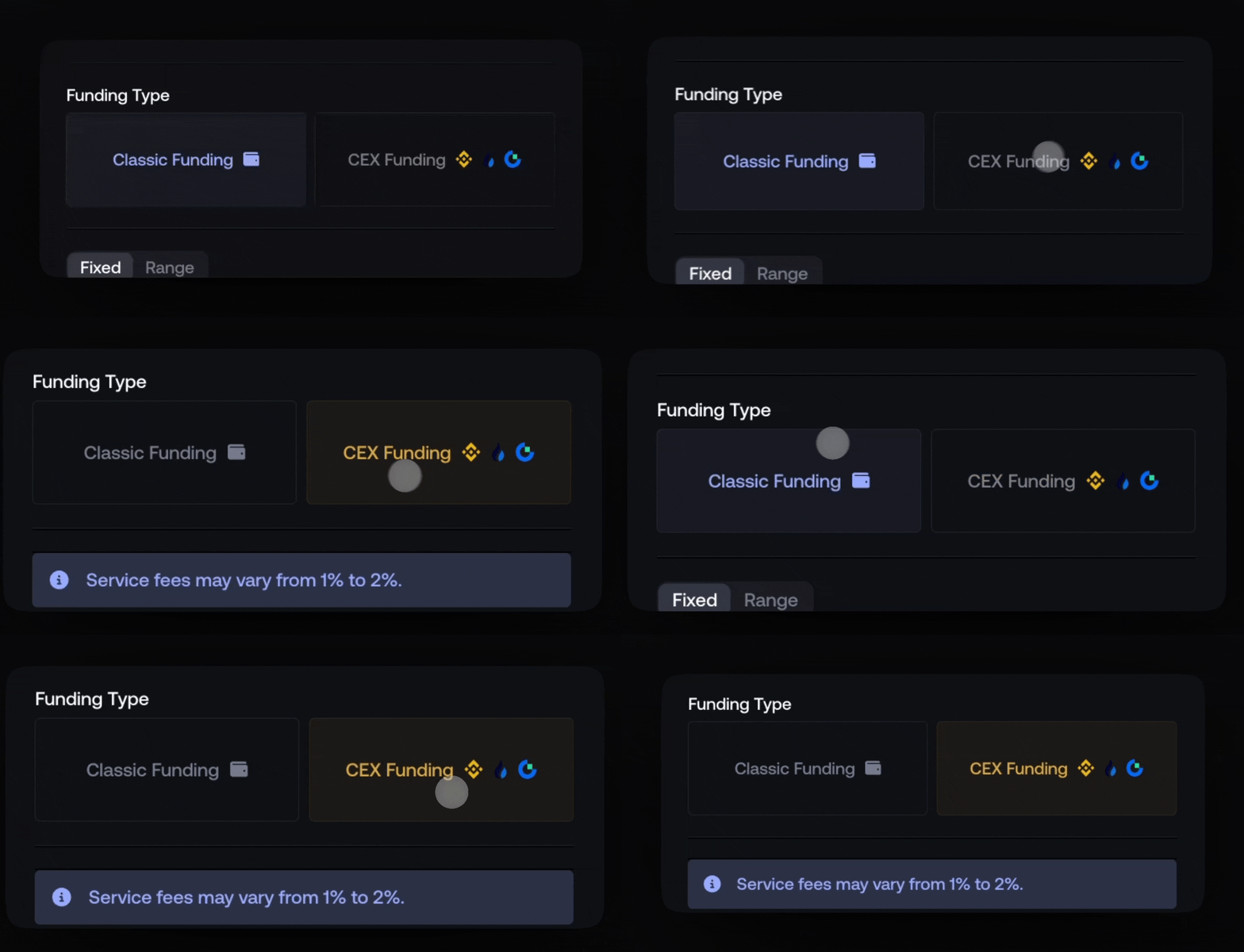
Proxy Funding
- Fixed or randomized amount per wallet
- Optional delay between fundings
- Simple and fast execution
CEX Funding
- Multiple supported CEXs
- Fixed or randomized amounts
- Funds arrive from different external origins
- Fees: 1%–2%
Funding Configuration
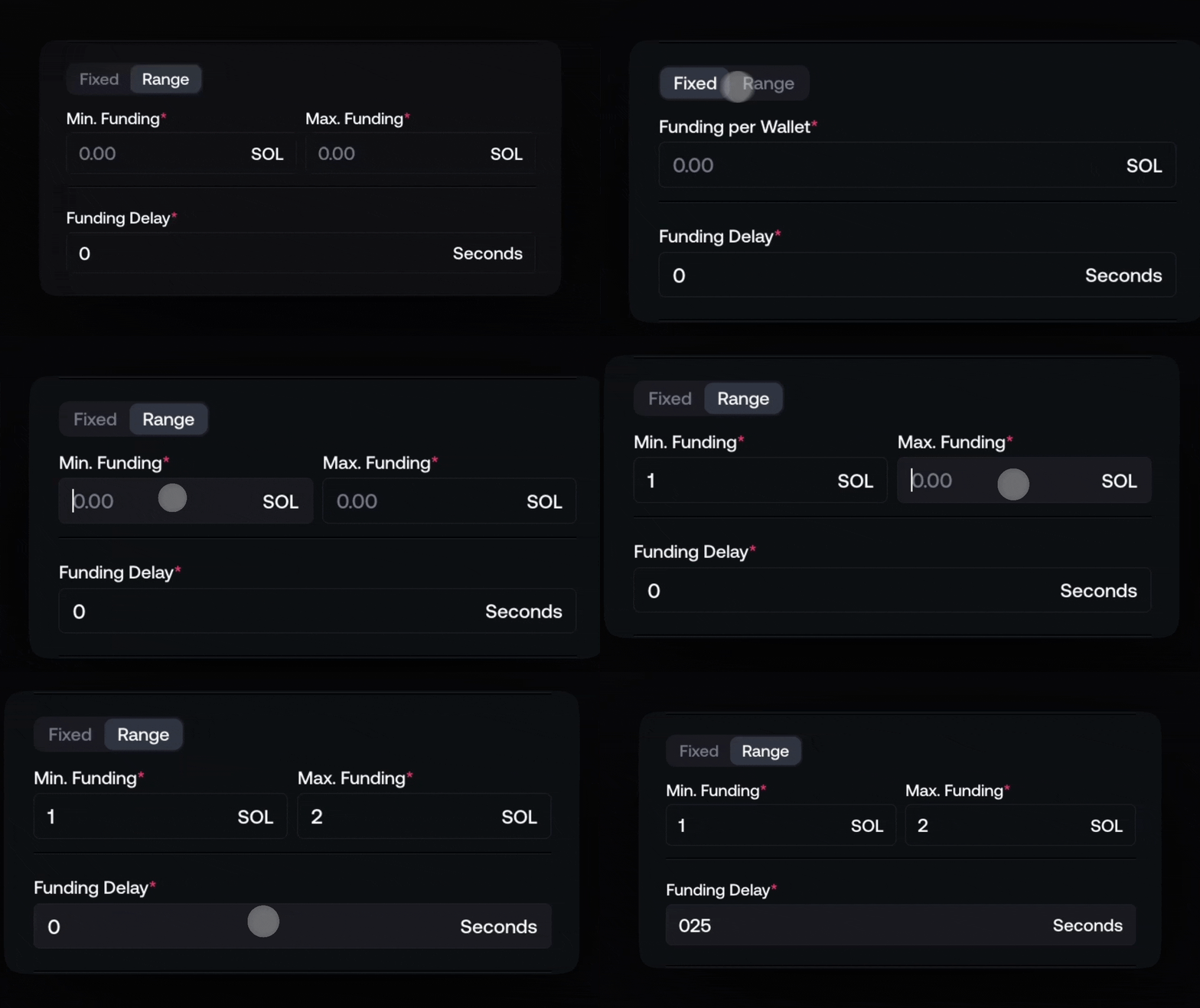
Amount per Wallet
- Fixed: every wallet receives the same amount
- Range: each wallet receives a randomized amount within a range
This helps avoid uniform balances across wallets.
Funding Timing ( Proxy mode Only )
- Optional delay between each funding
- Useful to spread transactions over time
- Improves realism and reduces batch-like behavior
Funding History & Status
If you click Fund while no wallets are selected, Proxima switches to Funding Overview mode.
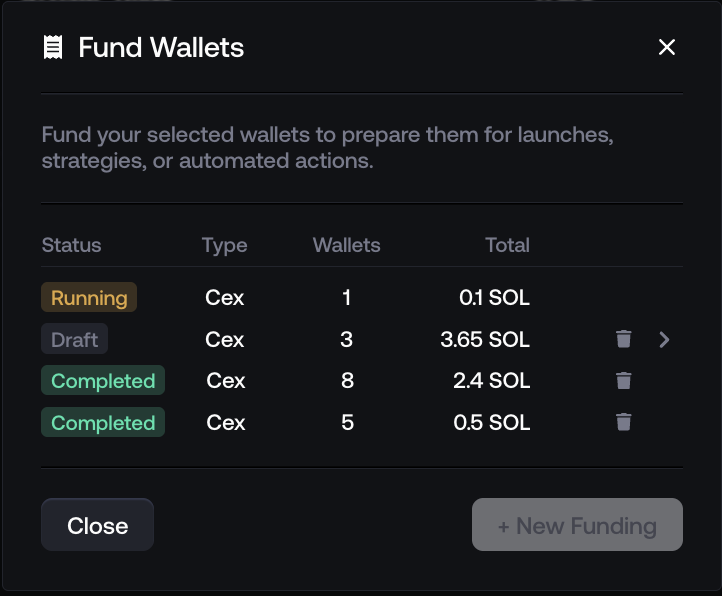
Each row represents a funding batch and includes quick actions:
- Trash icon Remove the funding from the list
This only clears it from your history view.
It does not affect completed fundings or wallet balances. - Arrow (→) Open the funding details
View the selected funding batch, including wallets, amounts, and configuration.
Funding statuses include:
- Draft Created but not executed
- Running Currently funding wallets
- Completed Funding finished successfully
Inline Status in Wallet Table
Ongoing fundings are visible directly in the wallet table.
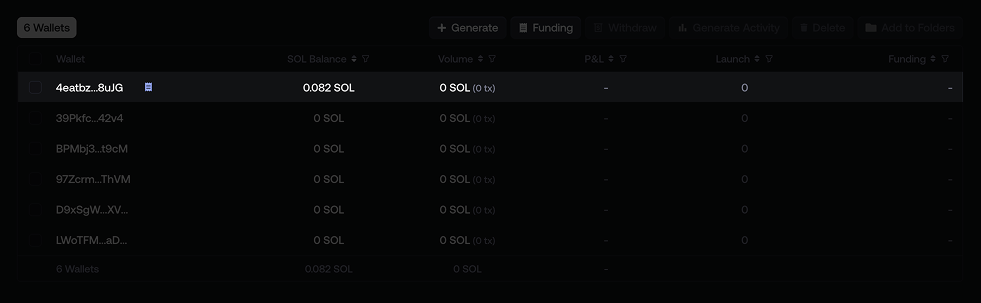
This allows you to:
- See which wallets are currently being funded
- Track funding progress at a glance
- Monitor large batches without opening each funding
This keeps funding activity visible without breaking your workflow.