
Folder
What Are Folders?
A folder is a logical group of wallets.
Instead of handling dozens (or hundreds) of wallets individually, folders allow you to:
- Group wallets by strategy, purpose, or launch
- Quickly select the right wallets
- Avoid mistakes during funding or imports
Create a Folder
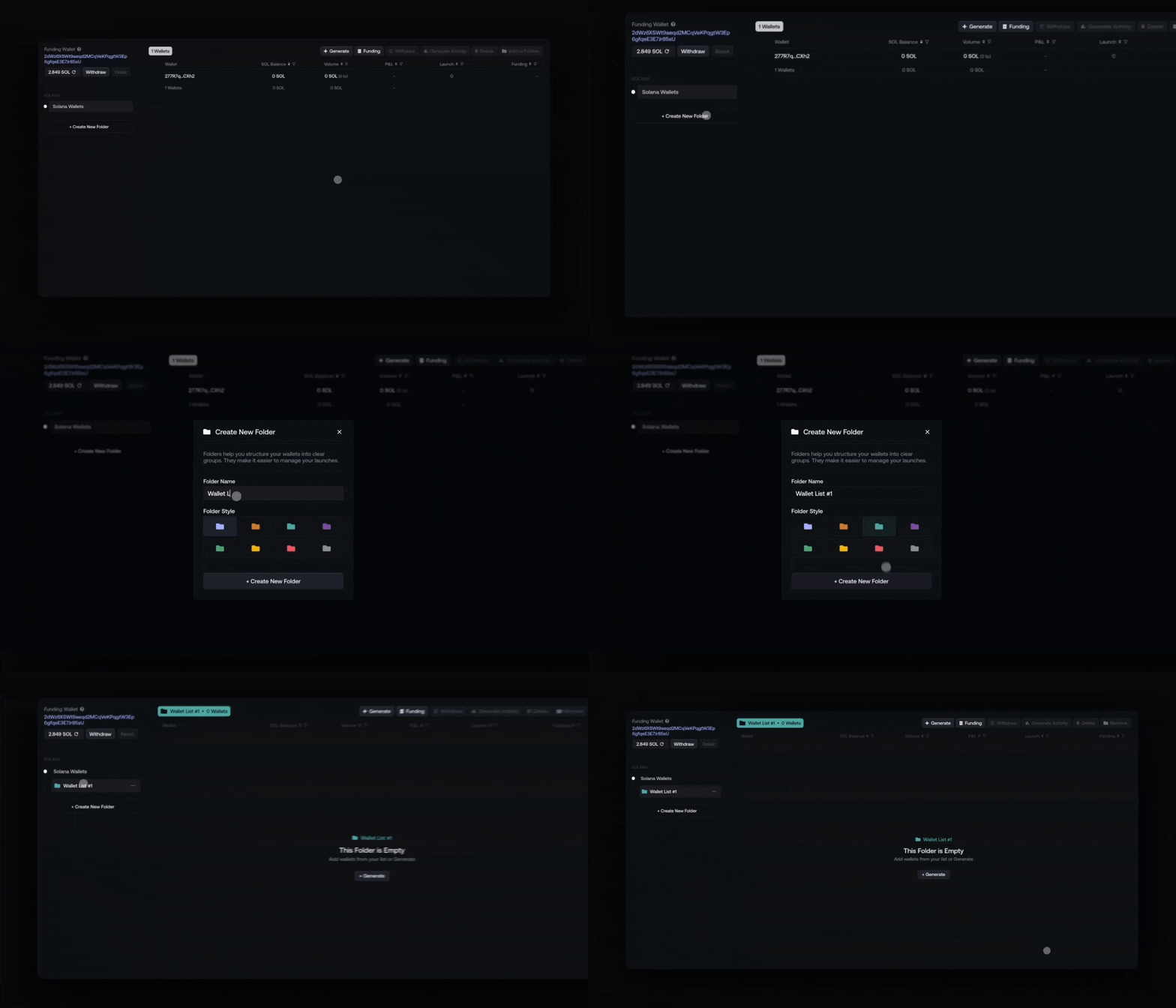
To create a new folder:
- Click Create New Folder
- Enter a name & Select style
- Click on Create
Manage Wallet Into a Folder
a/ Generate Wallets Into a Folder
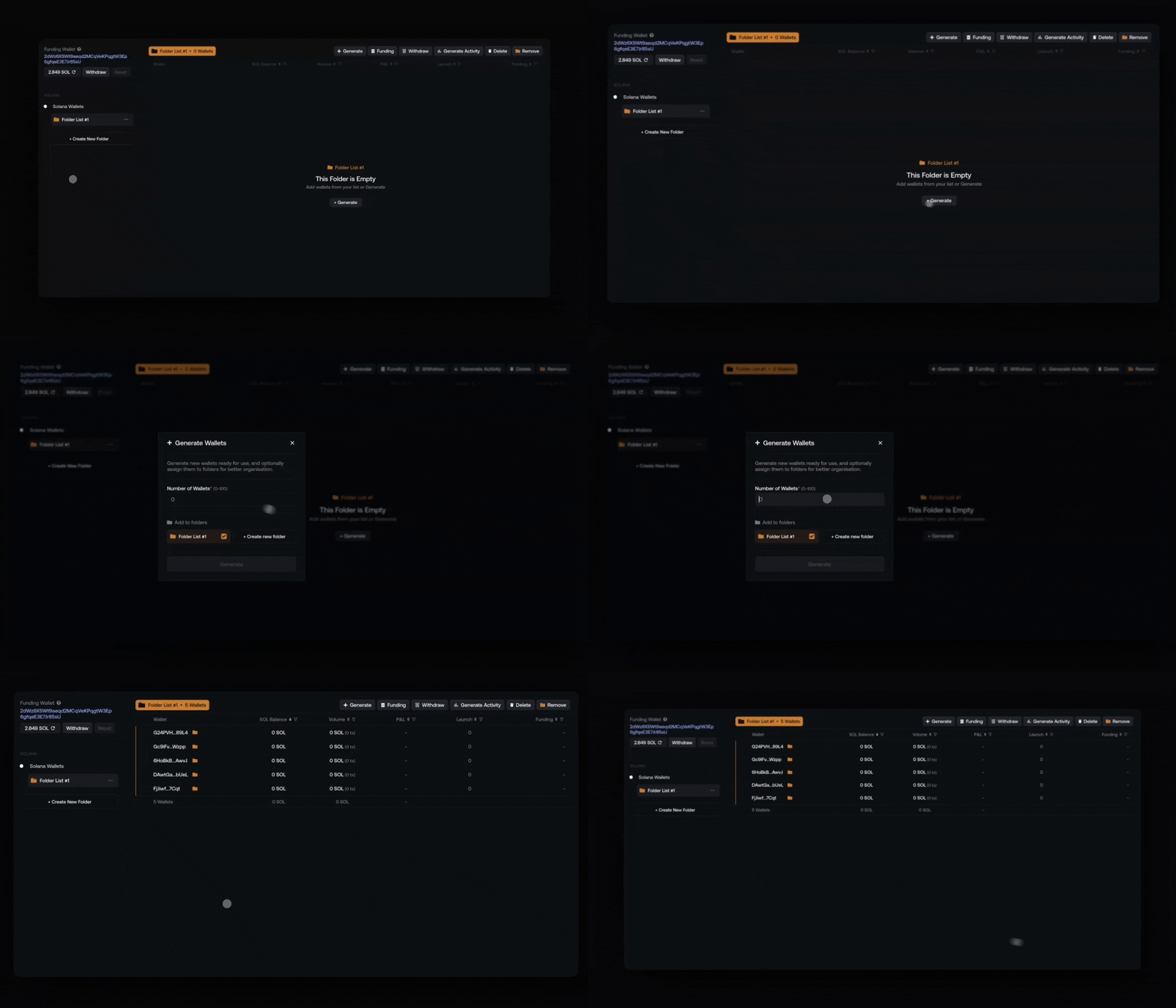
You can create wallets directly inside a specific folder.
- Open the target folder
- Click Generate
- Choose how many wallets to create
- Confirm
b) Add or Remove Wallet from Wallet List
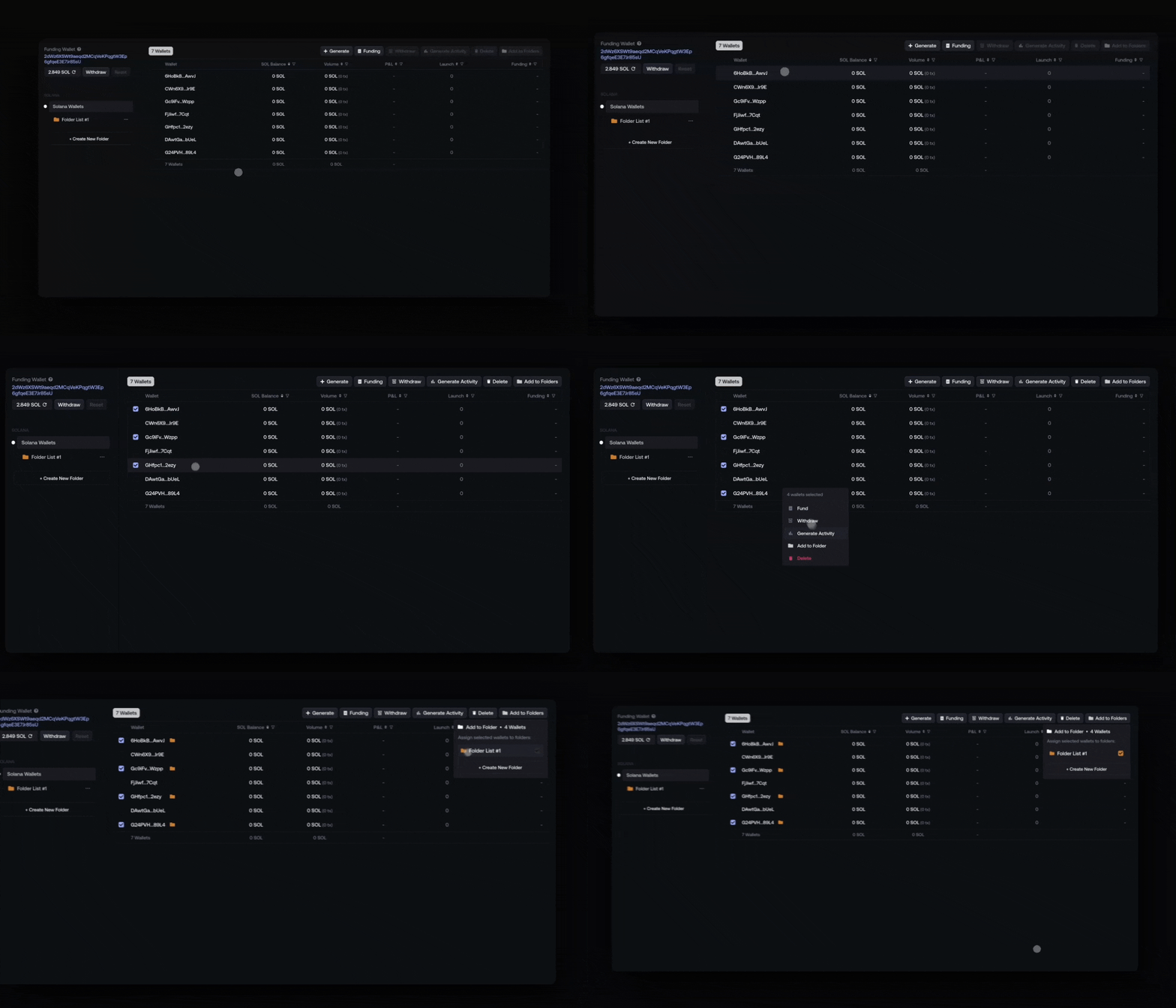
You can manage folder assignments directly from the wallet list using the Add to Folder action.
There are two ways to open it:
A) From the Wallet List (Right Click)
- Right-click on one or multiple wallets
- Select Add to Folder
B) Using the Action Button
- Select wallets using the checkboxes
- Click Add to Folder in the top action bar
Both options opens the Folder Selection modal.
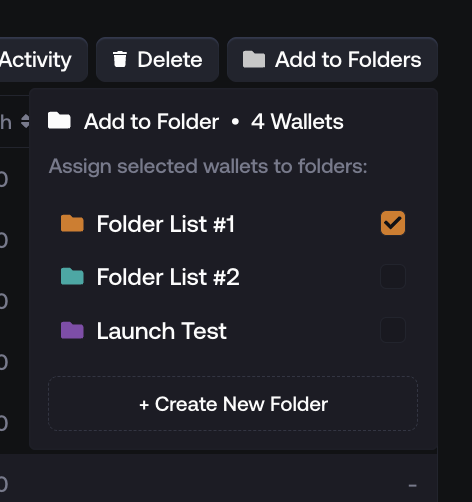
- Checked folders → the wallet is already added to those folders
- Unchecked folders → the wallet is already removed from those folders
Edit a Folder
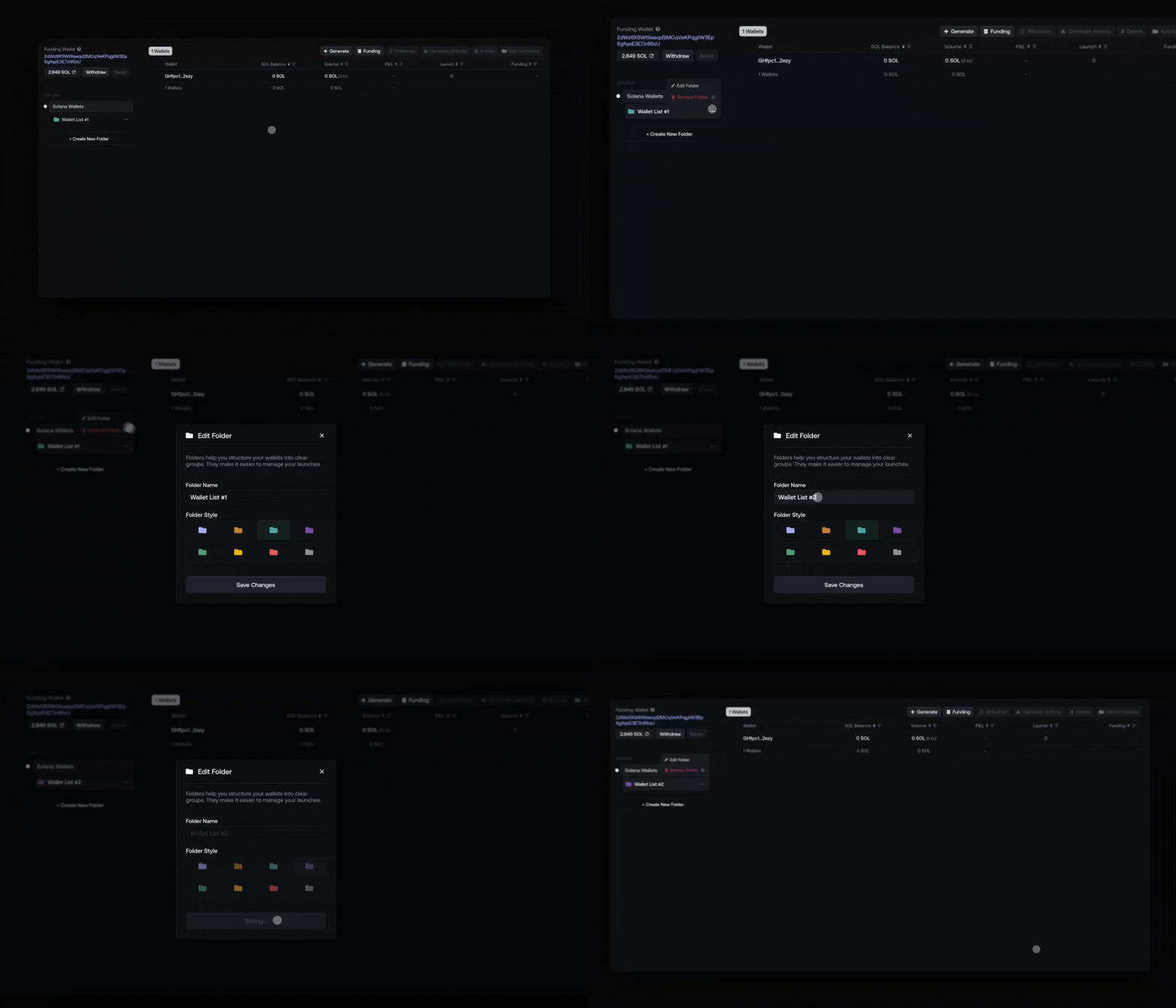
To rename a folder:
- On the folder list
- Click the ••• menu next to the folder
- Select Edit Folder
- Enter the new name / Style
Delete a Folder
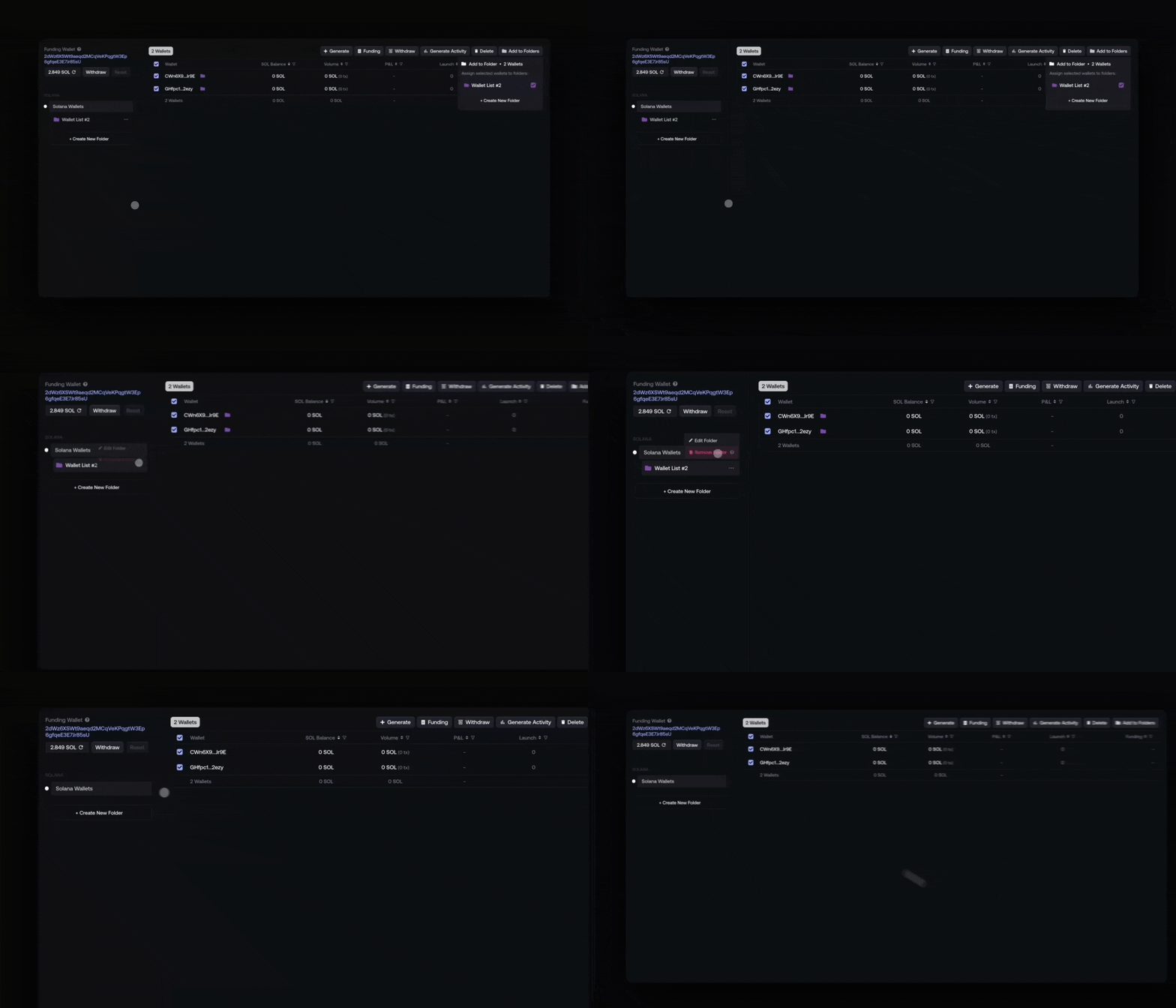
To delete a folder:
- On the folder list
- Open the ••• menu next to the folder
- Click Delete
When a folder is deleted:
- The folder itself is removed
- Wallets inside are not deleted
- Wallets are moved back to Unassigned / All Wallets